

Python Price Monitoring with Residential Proxies: A Practical Tutorial
Build a Python price monitor with practical requests and Beautiful Soup code, CSV history, validation, and optional residential proxies.
 Ludax Proxy TeamAuthor
By Ludax Proxy · Python tutorials
Quick answer: Python price monitoring means collecting permitted product prices on a schedule, validating each observation, and saving timestamped records so you can detect real changes. Start with Python requests and Beautiful Soup to extract prices; use residential proxies only when you need country-specific network exits. When you need to compare a permitted storefront from different countries, residential proxies can provide country-specific network exits. A proxy does not extract prices for you, guarantee access, or automatically make prices comparable. You still need reliable selectors, consistent product matching, and rules for handling failures.
In this hands-on guide, you'll build a small price tracker using requests and Beautiful Soup, save snapshots to CSV, and optionally route checks through Ludax Residential Proxies. The example uses Books to Scrape, an explicitly educational sandbox whose product prices are randomly assigned. The two-country configuration is only a network-routing exercise, not a claim that the sandbox has different regional prices.
Start with the tutorial: Jump to the runnable Python example
Need proxy credentials? Read the Ludax Python setup guide
On This Page
Python Price Monitoring Workflow
The simplest reliable workflow is fetch → validate → extract → store → compare. Run the scraper directly first. Add a residential proxy only when the project needs an authorized, location-specific view of the same product. Record the market the job requested separately from the market confirmed by the returned page.
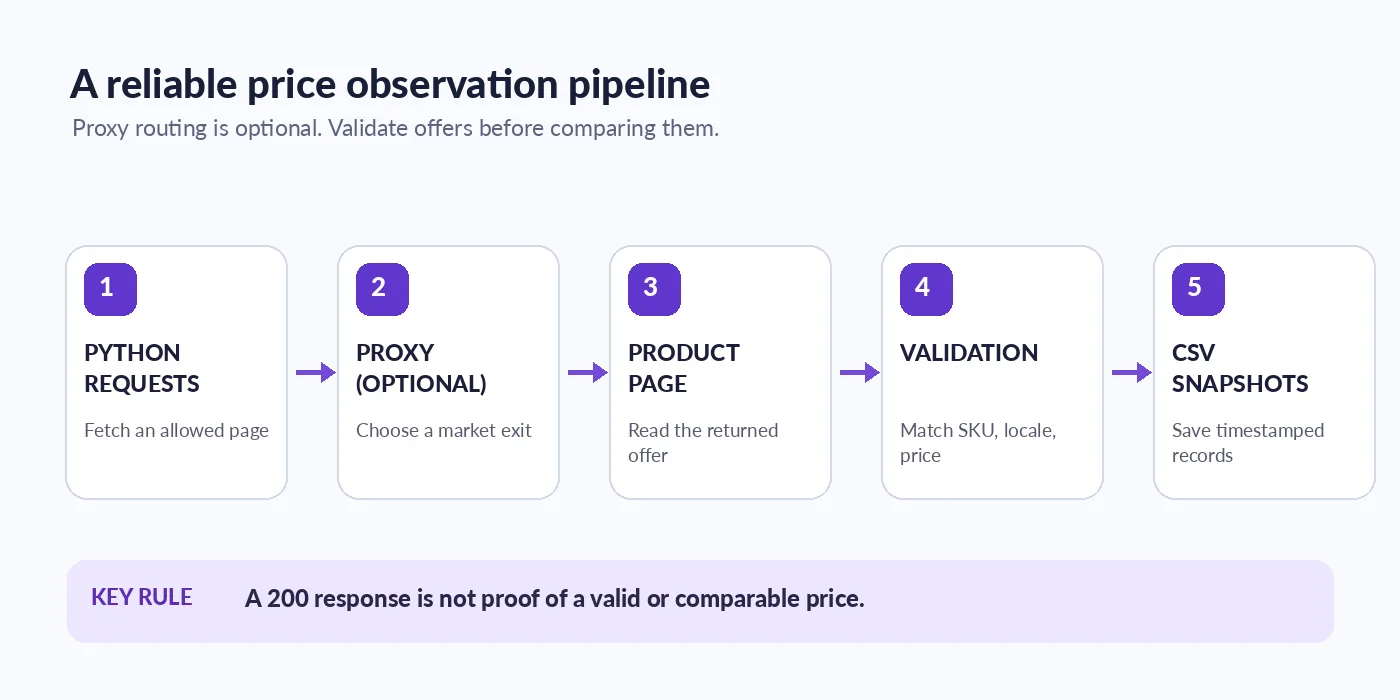
Engineering tip: A successful HTTP request is not the same as a valid price observation. Confirm product identity, currency, availability and parsing results before you trigger price-change alerts.
What a Trustworthy Price Observation Looks Like
A price is useful only when you can explain which product, seller, market and moment it describes. A quick scraper that saves just 19.99 becomes unreliable when a seller changes, a variant is out of stock, or one region includes tax and another does not.
Capture at least these fields:
Field | Why it matters |
|---|---|
| Compare snapshots across consistent time windows |
| Match the same item over time |
| Avoid comparing different offers |
| Keep monetary values interpretable |
| Record which country the job intended to check |
| Record the verified market when your workflow can establish it; otherwise mark it unknown |
| Distinguish out-of-stock from unavailable data |
| Separate network, parsing and availability failures |
For real retailer comparisons, you may also need tax basis, shipping, promotions, condition, and the final landing URL. Never treat a CAPTCHA, a blocked request or a missing price as a price of zero. Ludax's price-monitoring use case explains why landed-price normalization matters when comparing markets.
When Residential Proxies Help with Price Monitoring
Suppose a team wants to compare a permitted retailer's publicly listed product in the UK and Germany. A request from one data-center IP may not be a representative way to observe both locations. A country-targeted residential proxy can route each request through an IP in the selected market.
That improves your ability to sample location-dependent views, but it does not control everything. Prices may also depend on cookies, declared locale, accounts, shipping addresses, tax rules, or cached pages. Record the requested market and validate what the site actually returned.
For a simple public HTML page, start with standard Residential Proxies. If a permitted target requires a different TLS/client configuration, review Residential TLS only after testing the simpler setup. More expensive routing is not a substitute for correct parsing, rate control or authorized access.
Build a Python Price Monitoring Script
Step 1: Install the dependencies
Use Python 3.10+ and install two packages:
python -m pip install requests beautifulsoup4We'll collect one page of book listings from an educational demo. That provides a predictable starting point before adding country-targeted routing or a real authorized catalogue.
Step 2: Use this runnable collector
Create monitor.py with the following code:
import csv
import os
from datetime import datetime, timezone
from decimal import Decimal, InvalidOperation
from pathlib import Path
from urllib.parse import quote, urljoin

import requests
from bs4 import BeautifulSoup

SOURCE = "https://books.toscrape.com/"
OUTPUT = Path("price_snapshots.csv")
FIELDS = (
    "timestamp_utc", "product_id", "title", "price", "currency",
    "market_requested", "market_observed", "url", "fetch_status", "parse_status"
)


def proxy_for(country):
    """Optional Ludax Residential HTTP(S) proxy for one requested country."""
    user = os.getenv("LUDAX_USERNAME", "").strip()
    password = os.getenv("LUDAX_PASSWORD", "").strip()
    if not user and not password:
        return None
    if not user or not password:
        raise ValueError("Set both LUDAX_USERNAME and LUDAX_PASSWORD")

    if not user.startswith("resi-"):
        user = "resi-" + user
    password = password + "-country-" + country
    proxy_url = (
        f"http://{quote(user, safe='')}:{quote(password, safe='')}"
        "@gw.ludaxproxy.com:7777"
    )
    return {"http": proxy_url, "https": proxy_url}


def collect(country="direct"):
    proxy = None if country == "direct" else proxy_for(country)
    response = requests.get(
        SOURCE,
        proxies=proxy,
        timeout=(10, 25),
        headers={"User-Agent": "LudaxEducationalPriceMonitor/1.0"},
    )
    if response.status_code in (403, 429):
        raise RuntimeError(f"Source returned {response.status_code}; stop and review access rules")
    response.raise_for_status()

    page = BeautifulSoup(response.text, "html.parser")
    listings = page.select("article.product_pod")
    if not listings:
        raise RuntimeError("No products found; check the page and selectors")

    now = datetime.now(timezone.utc).isoformat(timespec="seconds")
    rows = []
    for listing in listings:
        link = listing.select_one("h3 a[href]")
        price_el = listing.select_one(".price_color")
        if not link or not price_el:
            continue
        raw_price = price_el.get_text(strip=True).replace("£", "").replace(",", "")
        try:
            amount = Decimal(raw_price)
        except InvalidOperation:
            continue

        url = urljoin(SOURCE, link["href"])
        rows.append({
            "timestamp_utc": now,
            "product_id": url,  # Stable demo identifier; prefer a real SKU in production
            "title": link.get("title") or link.get_text(strip=True),
            "price": str(amount),
            "currency": "GBP",
            "market_requested": country,
            "market_observed": "unverified",  # Never infer the storefront locale from IP alone
            "url": url,
            "fetch_status": response.status_code,
            "parse_status": "ok",
        })

    if not rows:
        raise RuntimeError("Listings were present, but no prices were parsed")
    return rows


def append_csv(rows):
    add_header = not OUTPUT.exists() or OUTPUT.stat().st_size == 0
    with OUTPUT.open("a", encoding="utf-8", newline="") as f:
        writer = csv.DictWriter(f, fieldnames=FIELDS)
        if add_header:
            writer.writeheader()
        writer.writerows(rows)


if __name__ == "__main__":
    has_proxy = bool(os.getenv("LUDAX_USERNAME") and os.getenv("LUDAX_PASSWORD"))
    markets = ("gb", "us") if has_proxy else ("direct",)
    for market in markets:
        try:
            rows = collect(market)
            append_csv(rows)
            print(f"{market}: saved {len(rows)} educational observations")
        except (requests.RequestException, RuntimeError, ValueError) as exc:
            # Don't print raw proxy exceptions: they may contain credential-bearing URLs.
            print(f"{market}: stopped ({type(exc).__name__})")
Run it:
python monitor.pyThe script writes price_snapshots.csv with a UTC timestamp and one row per observed product. Re-running it appends a new snapshot instead of overwriting yesterday's observations. That is enough to begin studying how you would store a time series. The demo prices are synthetic and are not known to differ by country.
Step 3: Check what the CSV actually tells you
A row with market_requested=gb does not prove the UK storefront was delivered. Our training dataset deliberately keeps market_observed=unverified. In a production monitor, validate the exit location and the actual storefront locale independently, capture the redirected URL and confirm currency and tax treatment before comparing rows.
For large catalogues, replace CSV with a database, add a true SKU, version your selectors, and schedule jobs according to the data source's rules. Don't increase the request rate before confirming data quality.
Before deploying beyond the sandbox: preserve the raw page or a bounded excerpt for debugging (subject to the source's terms and privacy obligations), classify missing prices separately from true stock-outs, and validate your alert logic against known product changes. For real-time workloads, check whether the target offers an authorized API or data feed before collecting HTML.
Add Ludax Country-Targeted Proxies
For Python price monitoring, the script is designed to work without a proxy first. This is intentional: you want to know that parsing works before introducing network and credential variables.
If you have a Ludax Residential plan, use the product's base username and password from your dashboard. On macOS or Linux:
export LUDAX_USERNAME='lx_your_username'
export LUDAX_PASSWORD='your_plan_password'
python monitor.py
On Windows PowerShell:
$env:LUDAX_USERNAME = 'lx_your_username'
$env:LUDAX_PASSWORD = 'your_plan_password'
python monitor.py
The script builds a standard Residential gateway URL using gw.ludaxproxy.com:7777, prefixes the username with resi-, and appends -country-gb or -country-us to the password. This is based on the current Ludax Python integration guide. Credentials remain in environment variables, not in source control.
Important: the proxy changes the network exit, not the demo's price data. Don't publish this exercise as evidence that a real retailer charges different amounts by country. For your own verified, authorized targets, add a validation step that records the actual destination region, resolved host, locale, and currency.
Ready to test a country-targeted exit? Explore Ludax Residential plans
Planning a monitoring pipeline? See the price-monitoring use case
Choose the Right Residential Proxy Setup
If your permitted product pages are readable from your current network, start without a proxy. For regional comparisons, standard Ludax Residential Proxies are a sensible first configuration to test, rather than a requirement for every scraper.
Your monitoring task | Suggested starting point |
|---|---|
One permitted public catalogue, one market | Direct Python requests; validate extraction first |
Independent public price checks from several countries | Residential exits with explicit country targeting |
A multi-step, stateful comparison | Residential with a documented sticky session token |
Client-specific TLS compatibility issue verified during testing | Compare Residential TLS only if needed |
Evaluate the options: Residential plans · Compare products · See current pricing
Validate Results Before Comparing Prices
An international price-monitoring pipeline needs more than a float. Check these five dimensions:
Product identity: Match SKU, size, color, pack quantity, and product condition.
Offer identity: Record seller, marketplace versus first-party offer, and promotions.
Regional context: Save the returned hostname, language, declared currency, and market validation.
Landed price: Compare tax, shipping and compulsory fees consistently; preserve original amounts.
Failure handling: Distinguish missing prices, blocked pages, out-of-stock listings and parser errors.
For example, a displayed £179.00 and €199.00 cannot be compared by their numeric values alone. Even after currency conversion, different tax and shipping policies may change which offer is actually cheaper.
A useful rule is to calculate price changes only from valid and comparable observations. A 403, 429, challenge page, or selector failure should produce an explicit failure state—not a record that looks like a discount.
Rotating vs. Sticky Sessions
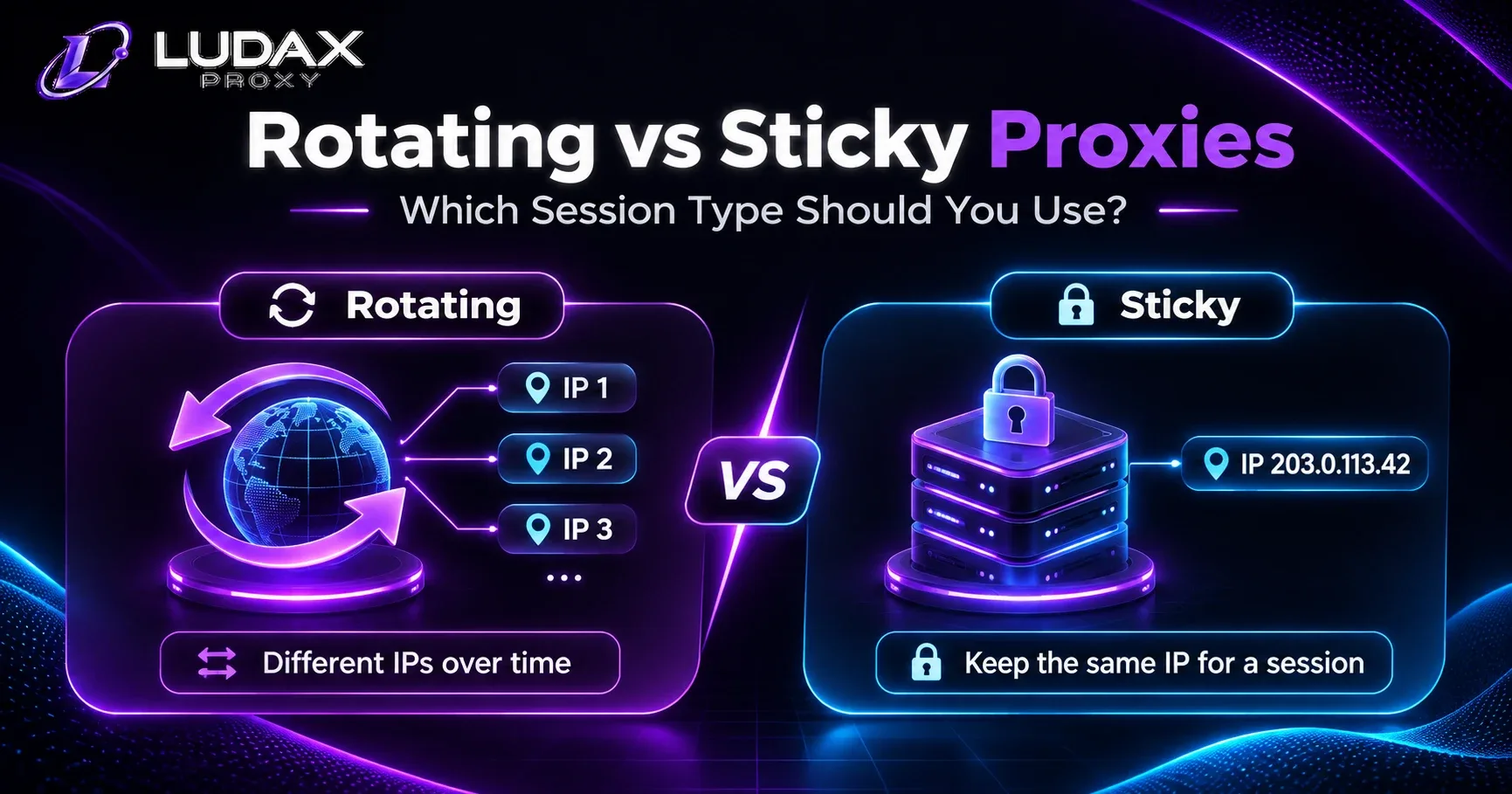
Use rotation when checks are independent: each page can be fetched without carrying browsing state. Note that HTTP clients may reuse connections, so the exact exit behavior depends on both the proxy settings and connection pooling.
Use a sticky session when a permitted workflow needs continuity across product, delivery estimate and other public steps. Ludax supports session tokens with a specified lifetime; follow the parameter order in the Python documentation. Keep the same token for that workflow and use a new one for a separate authorized job.
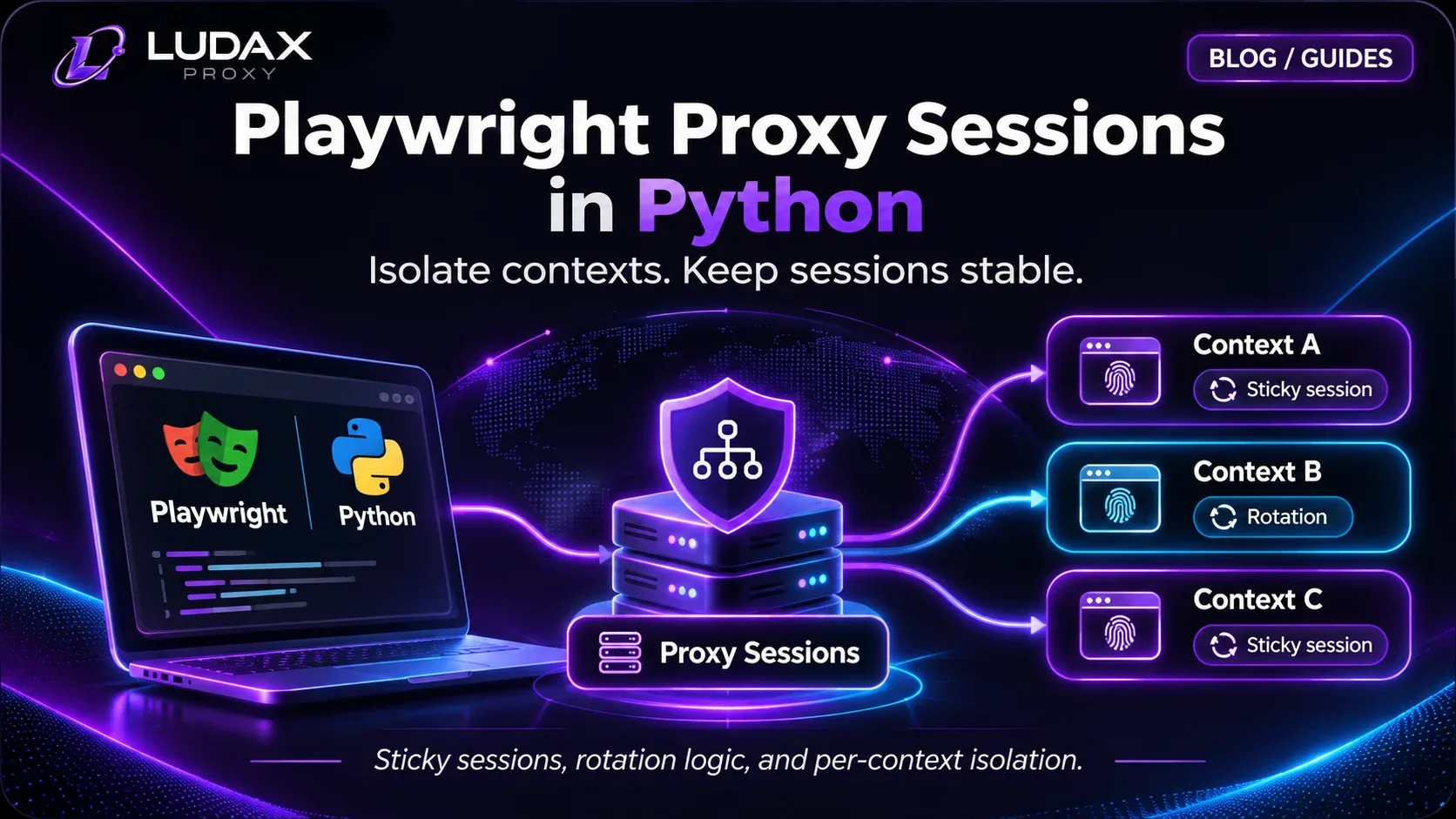
If a price appears only after JavaScript executes, an HTTP proxy alone won't render it. Use an appropriate rendering tool and inspect the Ludax Playwright proxy guide, while respecting the site's access policy. A browser session is not a reason to cross login barriers or automate restricted workflows.
Troubleshooting and Operating Costs
Symptom | What to check first |
|---|---|
| Product prefix, credentials and country parameter; don't log the full URL |
| Access policy or permission; stop rather than working around the restriction |
| Pause, respect |
| HTML selectors, JavaScript rendering, alternate regional page, or consent UI |
Currency doesn't match requested country | Redirected host, storefront settings, tax region, cookies and language |
Costs rise faster than records | Transferred bytes, failed requests, retries and unnecessary browser assets |
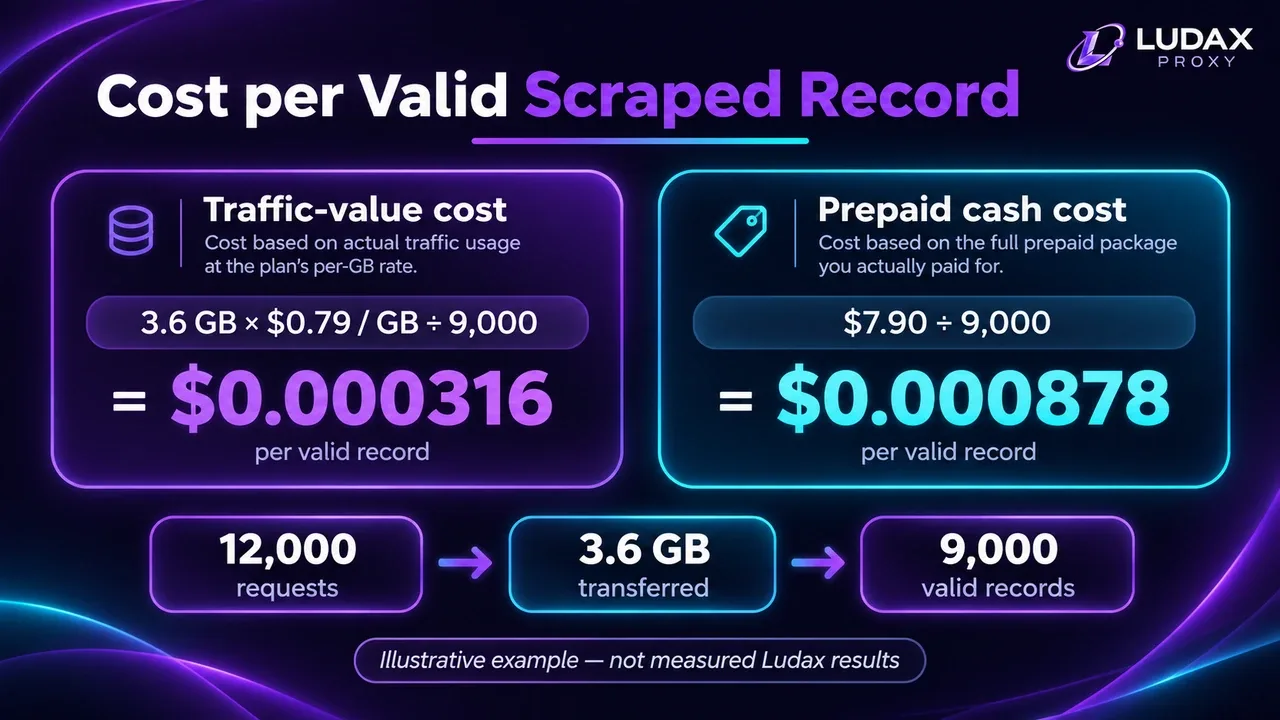
Optimize cost per valid observation, not just price per GB. Also record the percentage of checks that return usable prices, the number of false price-change alerts, and the total bandwidth per checked product. If a parser fails silently, low network costs can conceal poor data quality. A simple tracking metric is:
cost_per_valid_observation = total_proxy_traffic_cost / valid_comparable_observationsFor example, if an illustrative pilot spent $2 in network traffic and produced 400 validated records, the cost would be $0.005 per usable record. That is arithmetic, not a Ludax benchmark or a claim about observed performance.
Ludax supplies network routing, not extraction, scheduling, alerting, product matching or currency normalization. Those remain part of your application. Review current plan terms on the Residential product page and pricing page; the smallest advertised package is prepaid rather than a free trial.
Frequently asked questions
Can Python monitor product prices without proxies?
Yes. Start with permitted public pages that are accessible directly. Add residential routing only if you have a specific requirement such as sampling a storefront from another country.
Are rotating residential proxies always better for price scraping?
No. Independent public-page checks may fit rotating exits; multi-step workflows often require a stable session. Select based on the job's state requirements, not a universal rule.
Can a proxy guarantee access to protected shops?
No. Access controls, site rules, session requirements and anti-automation systems still apply. Respect them and stop when authorization or request limits are unclear.
Why do prices differ across countries?
Location can be one factor, but language, shipping destination, tax rules, currency settings, seller selection, promotions and account state can also change the displayed offer. Validate each variable before attributing a difference to geography.
Should I use Residential or Residential TLS?
For a simple permitted HTML-based collector, start with standard Residential. Evaluate Residential TLS when your own technical testing shows a genuine TLS/client compatibility requirement and you understand its certificate setup. Compare the products before scaling.
Build a Small Pilot Before Scaling
Your first useful milestone isn't thousands of scraped pages. It's one repeatable job that yields comparable records: same product identity, known market, consistent currency, explicit errors and timestamped history. Start directly, validate your parser, test a small residential route if needed, and measure cost per valid observation before expanding to more markets.
Next step: Explore Ludax Residential plans
Implementation help: Copy the Python proxy configuration
Related reading: Price monitoring architecture · Web scraping use cases · Compare proxy types
Comments 0
No comments yet. Ask a question or share what worked for you.