

Rotating vs Sticky Proxies: Which Session Type Should You Use?
Learn when to rotate IPs and when to keep one session. Use real workload examples, simple Python tests, and cost checks to choose your proxy setup.
 Ludax Proxy TeamAuthor
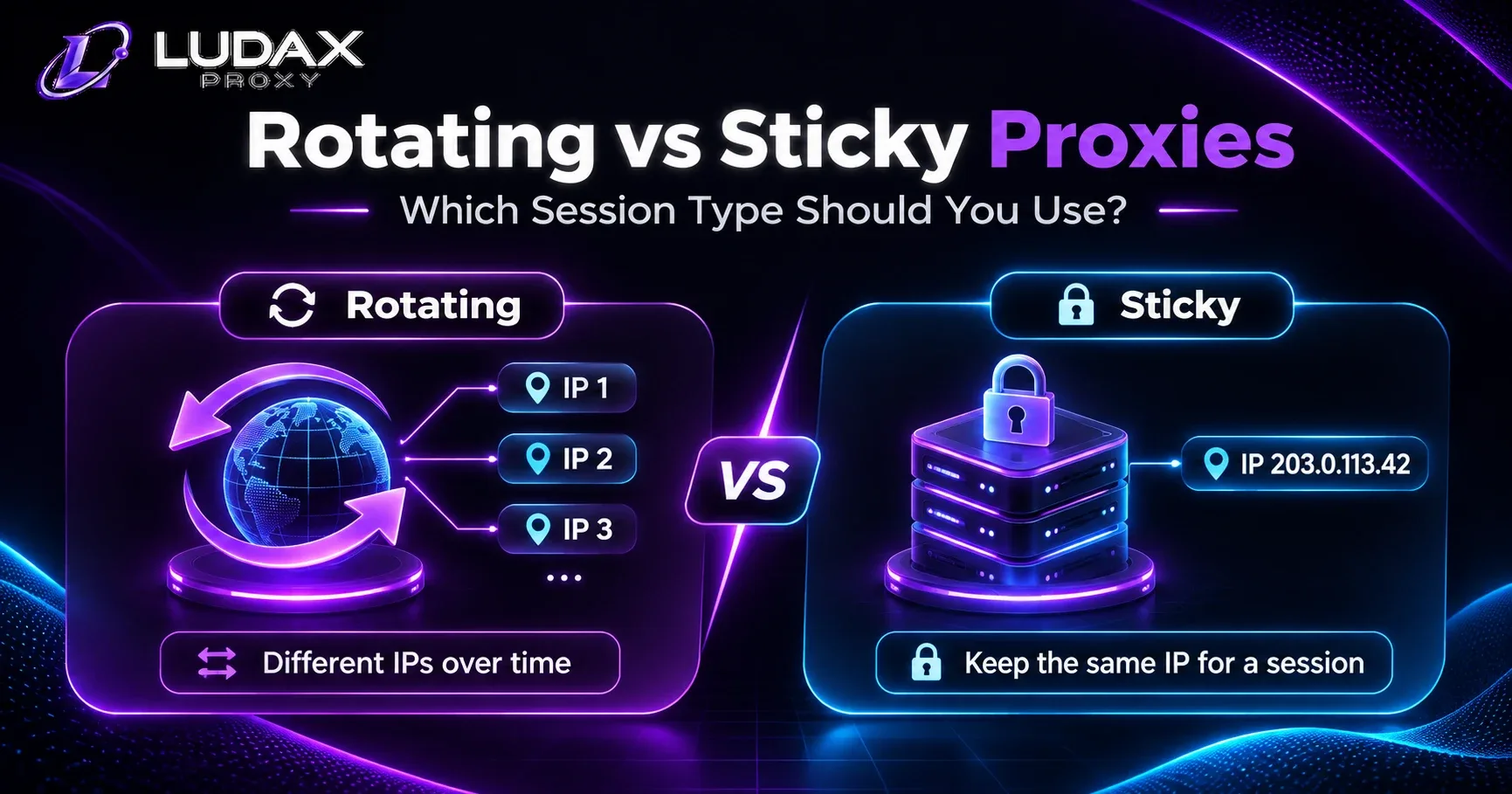
Rotating vs sticky proxies serve different jobs. Use rotating proxies when each request stands on its own. Use sticky proxies when several steps must keep the same network identity. A price checker that reads separate public pages may work well with rotation. A browser that follows a multi-page flow often needs one sticky session.
That is the main decision. However, two details matter. Rotating does not guarantee a new IP on every HTTP request. Sticky does not mean a permanent IP. This guide explains the difference, shows real work cases, and gives you a Python test for both modes.
If you want to compare the options as you read, start with Ludax Proxy Residential Proxies. The same standard Residential plan supports both session styles. For exact settings, use the Ludax Proxy authentication guide.
Rotating vs sticky proxies: the difference in plain English
Think of a proxy as the network exit that sends your request to a site. Rotation asks the provider to choose an exit for a new connection. Sticky mode asks it to hold an exit for a named session, for as long as that session remains available.
For a simple task, the difference is easy to picture:
Rotating: Check product A, then product B, then product C. Each check is independent. A new connection may use another exit.
Sticky: Open page one, keep a site preference, then follow pages two and three. These steps belong to one flow, so a stable exit is useful.
In both modes, the destination's permission and rate limits still apply. Neither mode promises access to a restricted page. Neither mode fixes a broken parser.
Three things that are easy to confuse
An exit IP is the public address seen by the destination. A proxy session token asks the proxy service to keep an exit linked to a task. A website session lives in cookies or other website state.
These are separate. For example, Python's requests.Session() keeps cookies and pools connections. It does not request a sticky exit from the provider on its own. Likewise, a sticky proxy token does not log you in to a website or save its cookies. Requests documents connection pooling and cookie persistence.
When rotating residential proxies make sense
Start with rotating when one result does not depend on an earlier request. You might collect product prices from permitted public pages. You could also check public search-result layouts from several approved locations. Each observation can be saved on its own.
Rotation works well for broad sampling. You do not need to manage a token for every independent read. However, you still need to validate the country, product variant, and data you receive.
Example: collecting independent price observations
Imagine a job that reads 500 public product pages. It saves one valid price observation from each page. The program does not depend on a cart, login, or page-one session cookie.
For this job, rotating is a sensible first test. The scraper can start a fresh connection as needed. It can record the exit country and compare successful results against billed bandwidth. For a complete workflow, see price monitoring with residential proxies.
Why the IP may appear unchanged
Some HTTP clients reuse open connections. With connection pooling, two requests can travel over the same connection and the same exit IP. The provider may choose a new exit only when the client starts a new connection.
So, if two requests show the same IP, do not assume rotation is broken. Check whether you actually opened two connections. Also remember that even separate connections are not guaranteed to return unique exits.
When sticky residential proxies make sense
Sticky sessions suit jobs with linked steps. A common example is an authorized browser workflow. A website may save a language, region, or page filter in its own session. Keeping the network exit stable can reduce unwanted changes between steps.
A sticky session can also help when one browser page loads HTML, scripts, images, and API calls over several connections. In that case, choose a stable exit for the full browser context instead of letting each connection select its own geography.
Example: one browser context, several page requests
Suppose an approved QA test opens a store page, selects a market, and visits three categories. The test must keep the same market throughout. Use one sticky proxy token for that context. Keep website cookies in the same browser context as well.
For ten independent browser workers, give each worker its own token. Otherwise, they may unintentionally share a network identity. The Ludax Proxy Playwright guide explains how to configure a browser context with a proxy.
What happens when a sticky session ends?
Sticky does not guarantee an exit forever. A chosen exit may become unavailable, or its session lifetime may end. Website cookies can expire at a different time, too.
If a task is interrupted, record where it stopped. Restart safely only when the destination allows it. Do not use IP changes to evade rate limits or access restrictions.
How to choose: a four-question checklist
Before deciding between rotating vs sticky proxies, answer these questions in order.
1. Does step two need anything from step one? If a filter, cookie, or website session must carry over, start with sticky. If each result is independent, start with rotating.
2. Does one page open many connections? A browser often loads several assets. A sticky session can keep the exit consistent during that page load.
3. How long does the job need to last? Choose an explicit session time. Give the job enough time to finish, but do not keep an identity longer than required.
4. What will success look like? Define a valid data record or a completed workflow before testing. Otherwise, a setup can look fast while returning bad results.
Now run a small test with the same permitted workload in both modes. Compare completed jobs, correct country, latency, and bytes billed. Let those measurements choose the session type.
Try both modes with Ludax Proxy Residential Proxies
You do not need to buy one plan for rotating and another for sticky access. Ludax Proxy Residential Proxies lets you test both approaches with session settings. Begin with a small authorized sample, then compare which mode returns more usable results for your traffic spend.
Rotating vs sticky proxies: a practical comparison
Feature | Rotating sessions | Sticky sessions |
|---|---|---|
Best starting point | Independent requests | Linked or multi-step workflows |
Exit behavior | New connections may use different exits | Same session token usually holds one exit |
Browser tasks | Suitable for separate checks | Often better for one browser context |
Website cookies | Still managed by your client | Still managed by your client |
Common issue | Connection pooling makes IPs look unchanged | Token expires or exit becomes unavailable |
Setup effort | Low | Token, time, and worker isolation |
What to measure | Accepted observations per GB | Completed workflows and restarts |
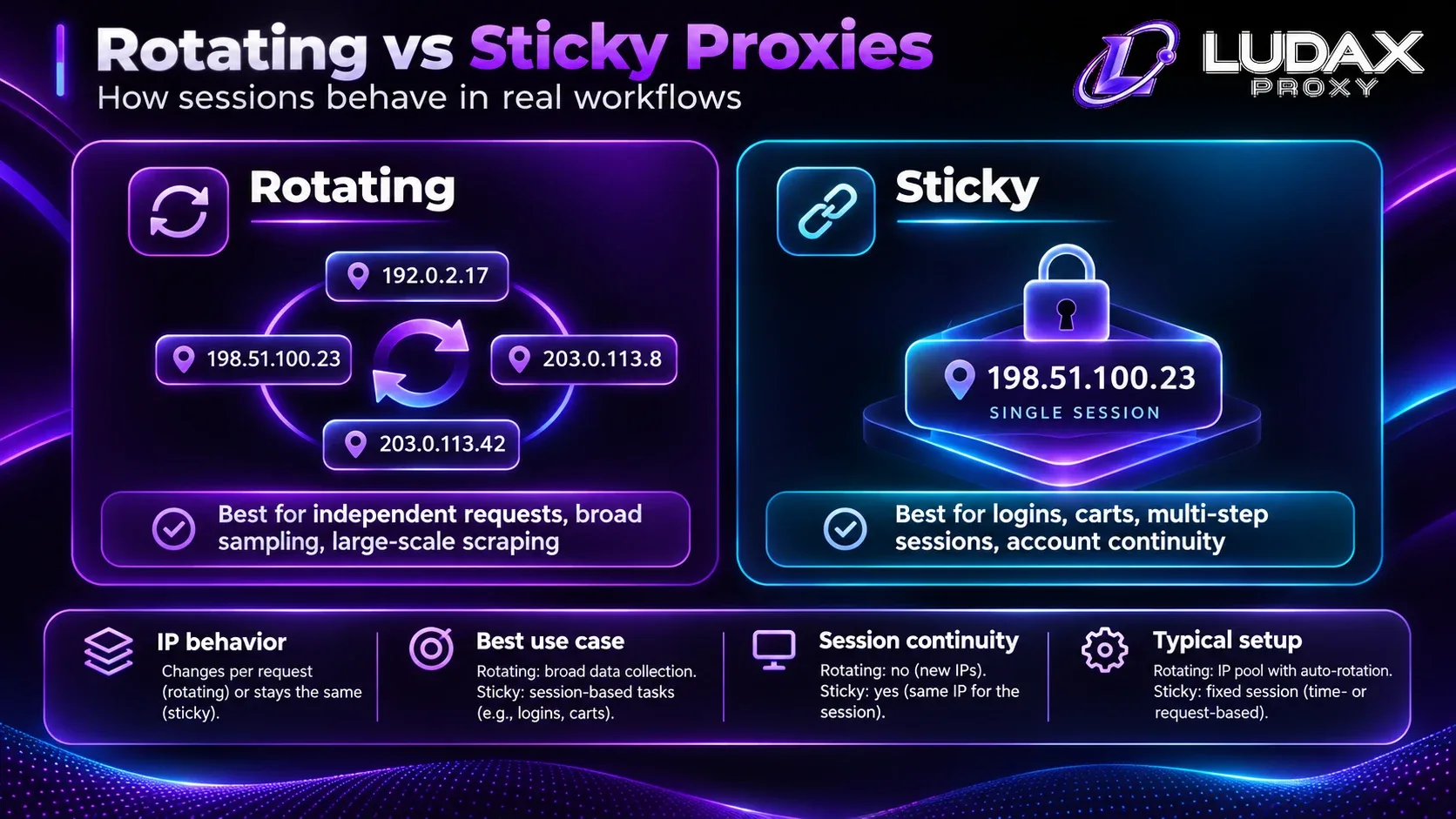
Image: Rotating mode can choose new exits across connections; sticky mode aims to keep one exit for a session. The illustration is conceptual, not a guarantee of unique IPs.
Configure rotating and sticky sessions in Ludax Proxy
In the standard Residential product, the HTTP(S) gateway is gw.ludaxproxy.com:7777. The username uses your account's resi- prefix. Session options go in the password suffix, not in the username.
The example below uses a US exit. Replace the placeholder credentials with the values from your own active plan. Do not put real passwords in a public repository or screenshot.
Rotating configuration
For rotation, leave out the session token:
Host: gw.ludaxproxy.com
Port: 7777
Username: resi-YOUR_ACCOUNT_USERNAME
Password: YOUR_PLAN_PASSWORD-country-us
A new connection can select another IP. An existing pooled connection may continue using its current exit.
Sticky configuration for ten minutes
To hold an exit for a linked task, add one session token and an explicit time:
Host: gw.ludaxproxy.com
Port: 7777
Username: resi-YOUR_ACCOUNT_USERNAME
Password: YOUR_PLAN_PASSWORD-session-mytest42-time-10-country-us
Use the same token for the steps that belong together. Use a fresh token for a new independent job.
Product limits vary. The Ludax Proxy session documentation describes the allowed settings for standard Residential and Premium plans. Check your current product before planning long jobs.
Note for TLS products
TLS products have their own gateway settings. Where documented, the -sameip suffix is needed to hold both the exit IP and the TLS profile together. Without it, the profile and exit may not remain pinned in the same way.
Do not copy the standard Residential port into a TLS plan. Use the exact credentials and gateway shown in Ludax Proxy product comparison and the authentication guide.
Python test: rotating vs sticky proxies
You can test the difference without scraping another website. This example sends requests through your proxy to the Ludax Proxy IP-check endpoint. It prints the reported exit IP for each attempt.
First, install Requests:
python -m pip install requestsSet your Ludax Proxy credentials directly in the Python script below. Replace the placeholder username and password with your own Residential proxy credentials when running the example locally. Keep real credentials out of public repositories.
Runnable connection test
import secrets
from urllib.parse import quote

import requests

# Ludax Proxy credentials
USERNAME = "resi-YOUR_ACCOUNT_USERNAME"
PASSWORD = "YOUR_PLAN_PASSWORD"

GATEWAY = "gw.ludaxproxy.com:7777"
CHECK_URL = "https://api.ludaxproxy.com/whoami"


def proxies_for(suffix: str) -> dict:
    user = quote(USERNAME, safe="")
    password = quote(PASSWORD + suffix, safe="")
    proxy = f"http://{user}:{password}@{GATEWAY}"
    return {"http": proxy, "https": proxy}


def exit_ip(session: requests.Session, proxies: dict) -> str:
    response = session.get(CHECK_URL, proxies=proxies, timeout=(10, 25))
    response.raise_for_status()
    return response.json().get("ip", "IP not provided")


# Rotating: a separate HTTP session for each independent connection.
for number in range(3):
    with requests.Session() as client:
        client.trust_env = False
        print("rotating", number + 1, exit_ip(client, proxies_for("-country-us")))

# Sticky: the same token across all steps in one client session.
token = secrets.token_hex(6)
sticky_proxy = proxies_for(f"-session-{token}-time-10-country-us")
with requests.Session() as client:
    client.trust_env = False
    for step in range(3):
        print("sticky", step + 1, exit_ip(client, sticky_proxy))
In rotating mode, you may see different IPs across independent connections. Repeated IPs do not automatically prove a problem. In sticky mode, you should normally see one exit during a healthy active session, but availability can change.
This code checks connectivity only. It does not test access to a third-party target or guarantee a success rate. For more connection options, use the Ludax Proxy Python documentation.
Five common session problems and simple fixes
1. Rotating returns the same IP twice
Start by checking connection reuse. A long-lived Requests session pools connections, so several HTTP requests may share one exit. Open separate connections for a rotation test. Even then, a repeated IP is possible.
2. A sticky IP changes during the job
Check that every step uses the same token. Then confirm the session has not expired. If you are using a TLS product, verify the product-specific -sameip behavior. A lost exit can still interrupt the task.
3. A login disappears even with a sticky proxy
The proxy handles network identity, not website cookies. Keep a permitted login or session cookie in the same browser or HTTP client. Confirm that the site itself has not expired the session.
4. The destination returns 429 or 403
An IP change is not the right default fix. A 429 usually means the server is limiting requests, while a 403 may indicate an access restriction. Follow the site's rules, check Retry-After where present, and stop requests that are not permitted. The Ludax Proxy authentication guide helps separate proxy-login issues from destination responses.
5. A Premium plan seems necessary for sticky sessions
Not always. Standard Residential supports both modes. Compare plans only after you know what your workload needs. TLS compatibility and other product differences are separate reasons to evaluate a more specialized option.
Which mode costs less in practice?
For standard Ludax Proxy Residential, changing between rotating and sticky configuration does not itself mean buying a second plan. But real cost can change with the workflow. Failed pages, repeated assets, retries, and unfinished sessions all use time or traffic.
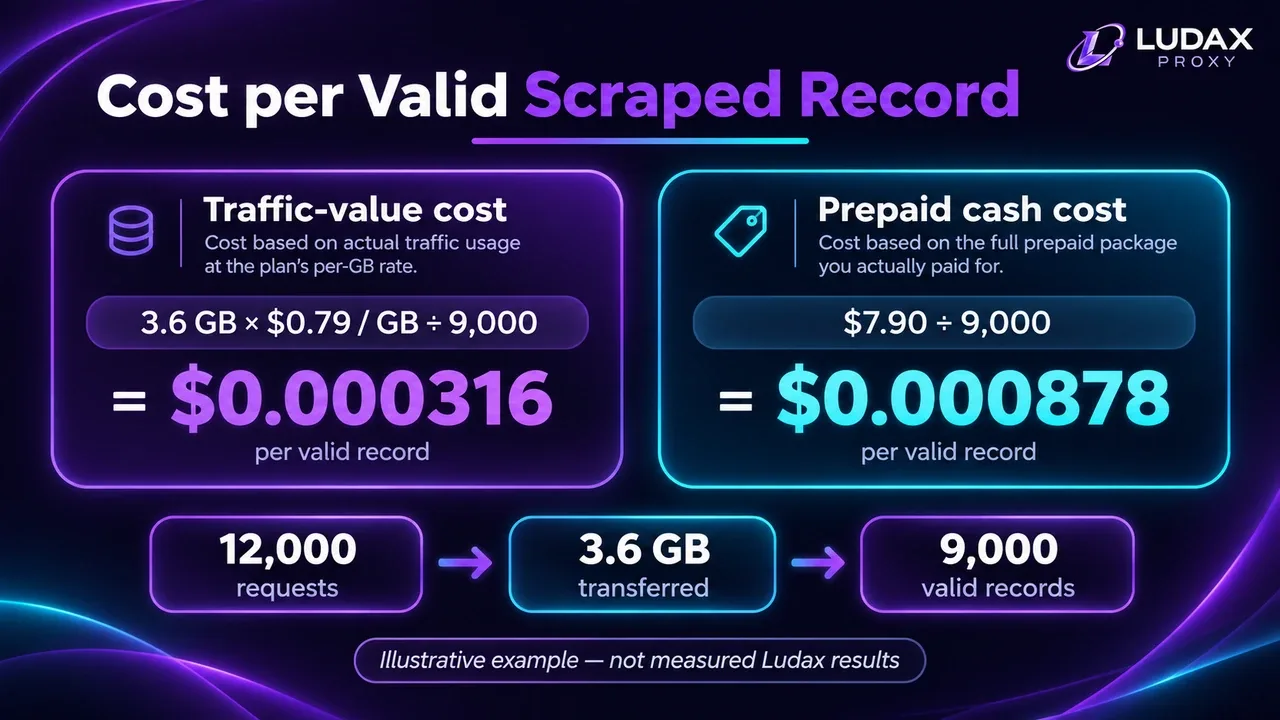
A useful metric is proxy cost per valid result:
Cost per valid result = proxy spend attributed to the test / valid resultsFor example, imagine one test costs $4 and returns 800 valid records. Its proxy cost is $0.005 per valid record. Another test costs $3.60 and returns 900 valid records. Its cost is $0.004 per record. These numbers are illustrative, not measured Ludax Proxy performance.
Do not conclude that sticky is always cheaper from that example. The better mode is the one that gives your specific job accurate results at a reasonable cost. For a deeper method, read the Ludax Proxy pricing page and the site's guide to measuring bandwidth costs when available.
Frequently asked questions
Do rotating proxies change IP on every request?
Not always. Rotation can occur when a new connection starts. If a client reuses a connection, several requests may use the same exit. Providers also cannot promise that every assigned exit will be unique.
Can a sticky proxy keep one IP forever?
No. A sticky exit is tied to a configured session and the exit's availability. Choose a session time that suits the job, then plan for safe recovery when it ends.
Do sticky proxies keep website cookies?
No. Your HTTP or browser client stores cookies. A sticky proxy helps keep the network exit stable, but it does not manage a website's session data.
Should I use a sticky proxy in Playwright?
Often, yes, for one continuous browser context. One page can open many connections. Use one token for that context, and a different token for another independent worker. See the Ludax Proxy Playwright guide.
Can I use rotating and sticky settings on one plan?
Yes, supported standard Residential plans use password parameters to select session behavior. Use no session token to allow rotation on new connections. Add a token and time to request a sticky session.
Final recommendation: choose the task before the proxy mode
The simplest rule is to choose rotating for independent observations and sticky for connected steps. Next, test your real workflow at a small scale. Record valid output, session interruptions, geography, and billed bandwidth. That evidence matters more than the label on a proxy plan.
If you are still choosing between rotating vs sticky proxies, start with Ludax Proxy Residential Proxies. It supports both approaches, so you can test the session behavior first. Then select the plan size that matches your actual traffic needs.
Need a different network setup? Compare Ludax Proxy products or review the proxy setup documentation before you upgrade.
Sources and further reading
Ludax Proxy proxy authentication reference — connection strings, sessions and suffixes.
Ludax Proxy Python guide — Python configuration details.
Ludax Proxy Playwright guide — one session per browser context.
Requests: Session Objects and connection pooling — how client-side sessions work.

Comments 0
No comments yet. Ask a question or share what worked for you.