

Residential Proxy Latency Optimization: Measure, Diagnose, and Reduce Slow Requests
A practical, measured approach to slow residential proxies: compare direct, rotating, and sticky requests, diagnose p95 delays, and tune Python clients without hiding failures.
 Ludax Proxy TeamAuthor
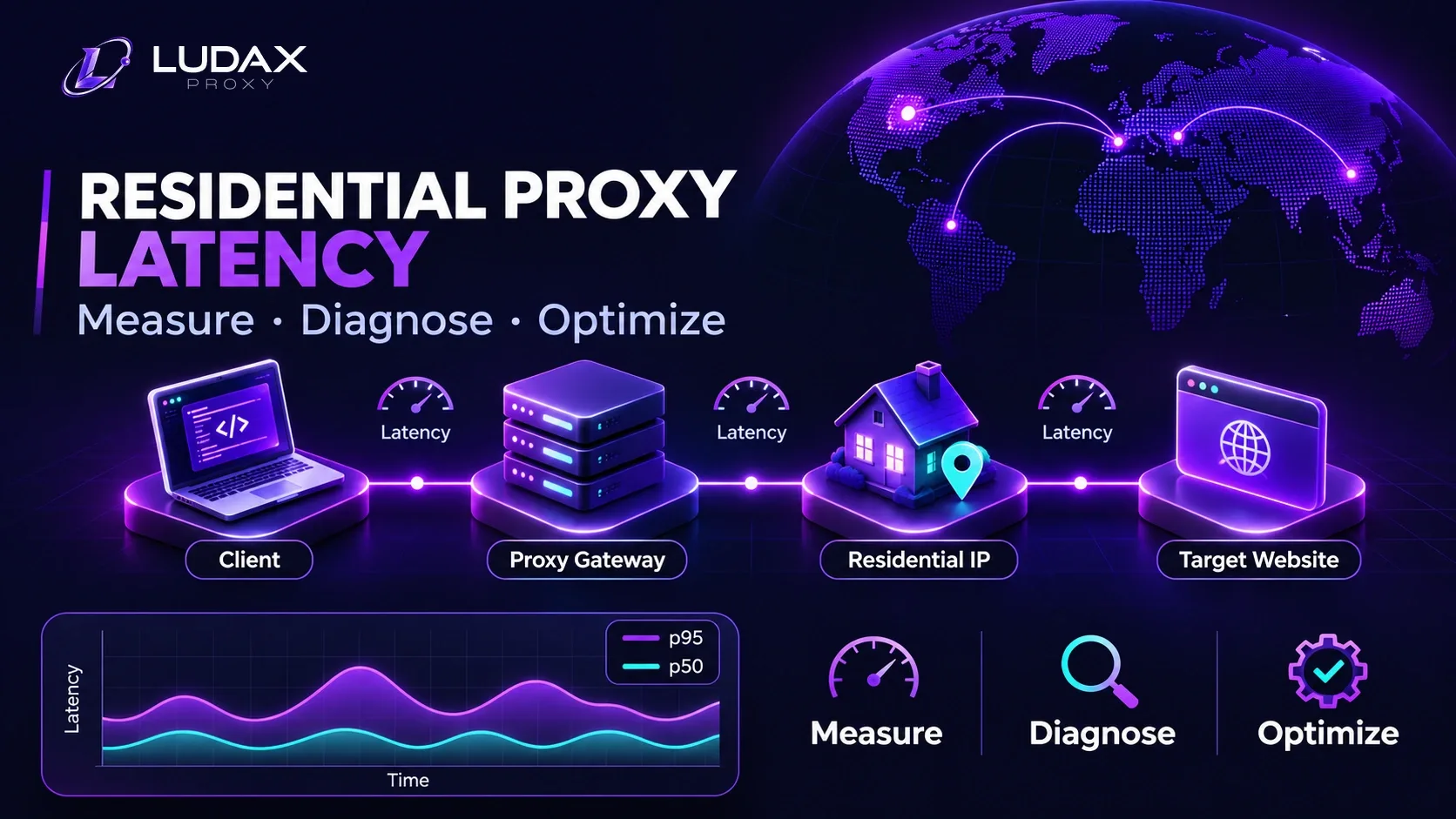
Quick answer: Residential proxy latency optimization starts with an end-to-end measurement, not a provider's gateway ping. Test the same authorized target from the same client, record p50, p95, valid-response rate and timeouts, then change one variable at a time: proxy country, sticky versus rotating session, HTTP connection reuse, request concurrency or response size. Keep whichever configuration completes more valid work per minute, not merely whichever returns a response fastest.
Residential IPs travel through real consumer access networks, so delays can vary by exit connection, region and time of day. A slow request does not automatically mean the residential proxy gateway is slow. The target website, your scraper, a new TCP/TLS connection and the chosen exit can each contribute.
This guide gives you a repeatable Python HTTPX benchmark, a symptom-to-fix matrix and a controlled tuning workflow for scraping, price monitoring and geo-sensitive checks. It is designed for developers who want reliable measurements rather than an unsupported claim of “the fastest residential proxies.”
What matters is the complete request path, not just the connection to the proxy gateway.
Testing scope: Run these examples only against websites or APIs you own or are authorized to test. Respect access policies, robots directives where applicable, and rate limits. Residential proxies do not grant permission to access restricted data.
Jump to: Latency breakdown · Metrics · Python benchmark · Optimization plan · Troubleshooting · FAQ
What actually makes a residential proxy request slow?
A proxy request is a chain of operations. The client opens a connection to a gateway, authenticates, receives an assigned exit route, reaches the destination through a residential network and waits for the destination to respond. HTTPS typically introduces a CONNECT tunnel and TLS setup. The response then travels back through the same chain.
A useful mental model is:
End-to-end time ≈ client → gateway + gateway routing + exit → target + target processing + response transfer + connection/setup overhead
These terms overlap in real systems and are not a set of independently observable numbers from a single response.elapsed measurement. You need controlled experiments or lower-level timing instrumentation to identify them.
Component | Common symptom | First diagnostic move |
|---|---|---|
Client network → gateway | All proxied targets are slow from one worker location | Run the same test from a second permitted worker region |
Proxy connection/authentication | Long first request, reasonable later requests; or HTTP 407 | Reuse an HTTP client; fix credentials before retrying |
Residential exit → target | High variability between sessions or countries | Compare a country near the intended audience against your current choice |
Target processing | Similar slowdown with and without the proxy | Inspect target response behavior and server-side timings if you control it |
Response transfer | Large pages are disproportionately slow | Compare the same small endpoint and then payload-heavy pages |
Excess concurrency | p50 holds, p95 and errors rise | Lower simultaneous requests and measure valid completion rate |
Important distinction: The Ludax Proxy status page reports gateway monitoring from the site's infrastructure. That is not a promise for your application's latency to a particular target. Product response time must be measured with your worker, target, country and workload.
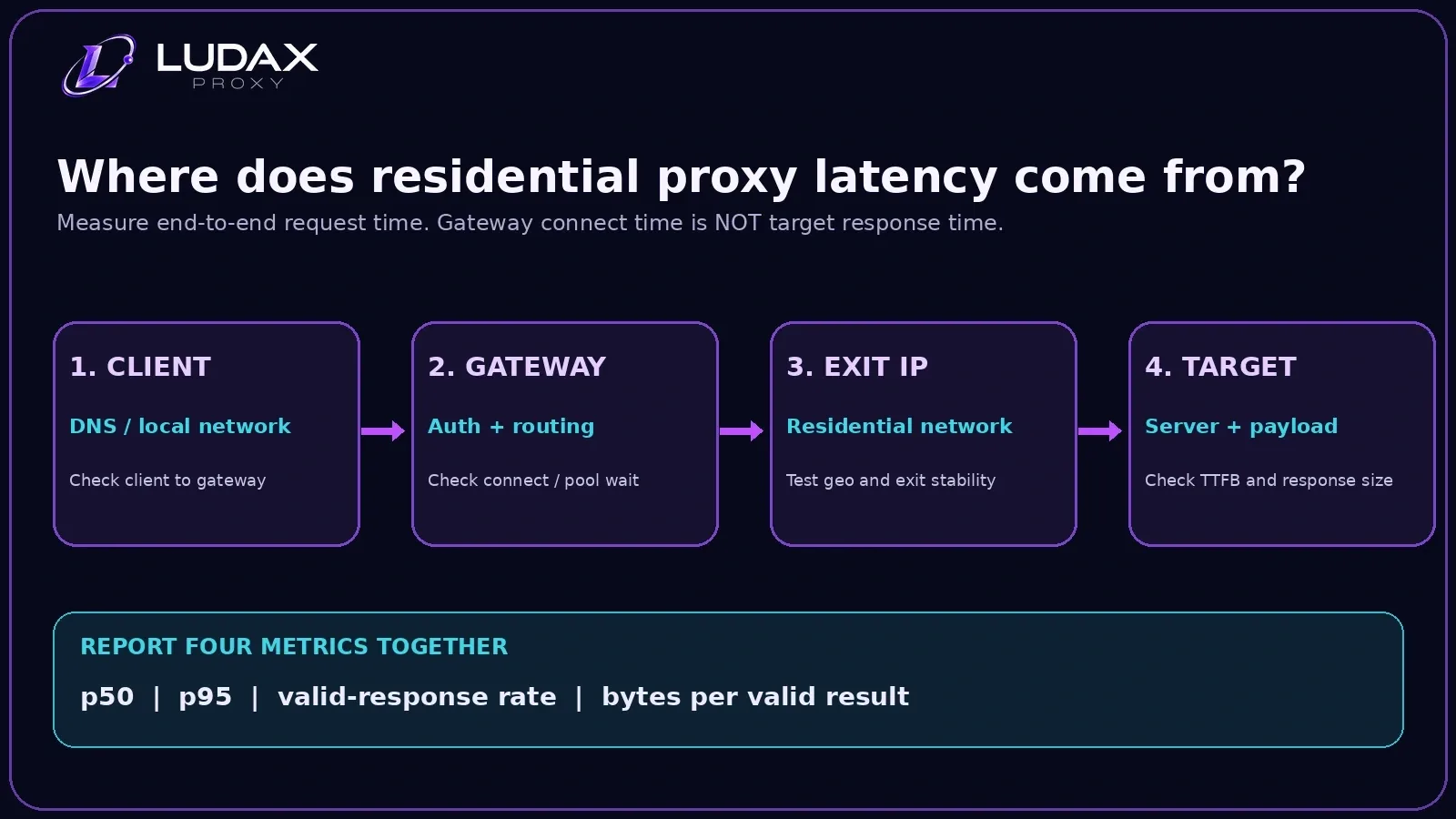
Residential Proxy Latency Optimization: Four Metrics That Matter
Saying a proxy took “700 milliseconds” is rarely enough. A production scraper needs both central tendency and tail behavior.
Metric | What it answers | Why it matters |
|---|---|---|
p50 latency | How fast was the middle valid request? | Describes the typical experience |
p95 latency | How slow were the worst roughly 5% of valid requests? | Shows tail delays that threaten job deadlines |
Valid-response rate | How many attempts returned the expected data? | Avoids calling a fast challenge page a success |
Valid records per minute | How much useful work finished in real time? | Combines latency, concurrency and failure cost |
A fifth useful measurement for pay-per-GB proxies is bytes or billed bandwidth per valid result. HTTP body length is useful for spotting heavy endpoints but does not equal the provider's billed traffic: request headers, proxy/network overhead and upstream/downstream metering also matter. Use your plan usage records for actual cost accounting.
Why p95 matters more than a single “fastest” result
Imagine two configurations with similar median response time. One returns nearly every successful response predictably; the other occasionally takes 20 seconds or fails. A user-facing workflow or deadline-based pipeline will usually prefer the consistent configuration, even if its fastest request is slower.
Calculate percentile distributions only from comparable requests. Always report failures separately rather than deleting them and claiming the setup is fast. Also log the number of observations: with only a dozen samples, p95 is a rough warning signal, not a statistically stable service-level measurement. Repeat with larger, time-separated samples before making purchase or architecture decisions.
Build a fair residential proxy latency test
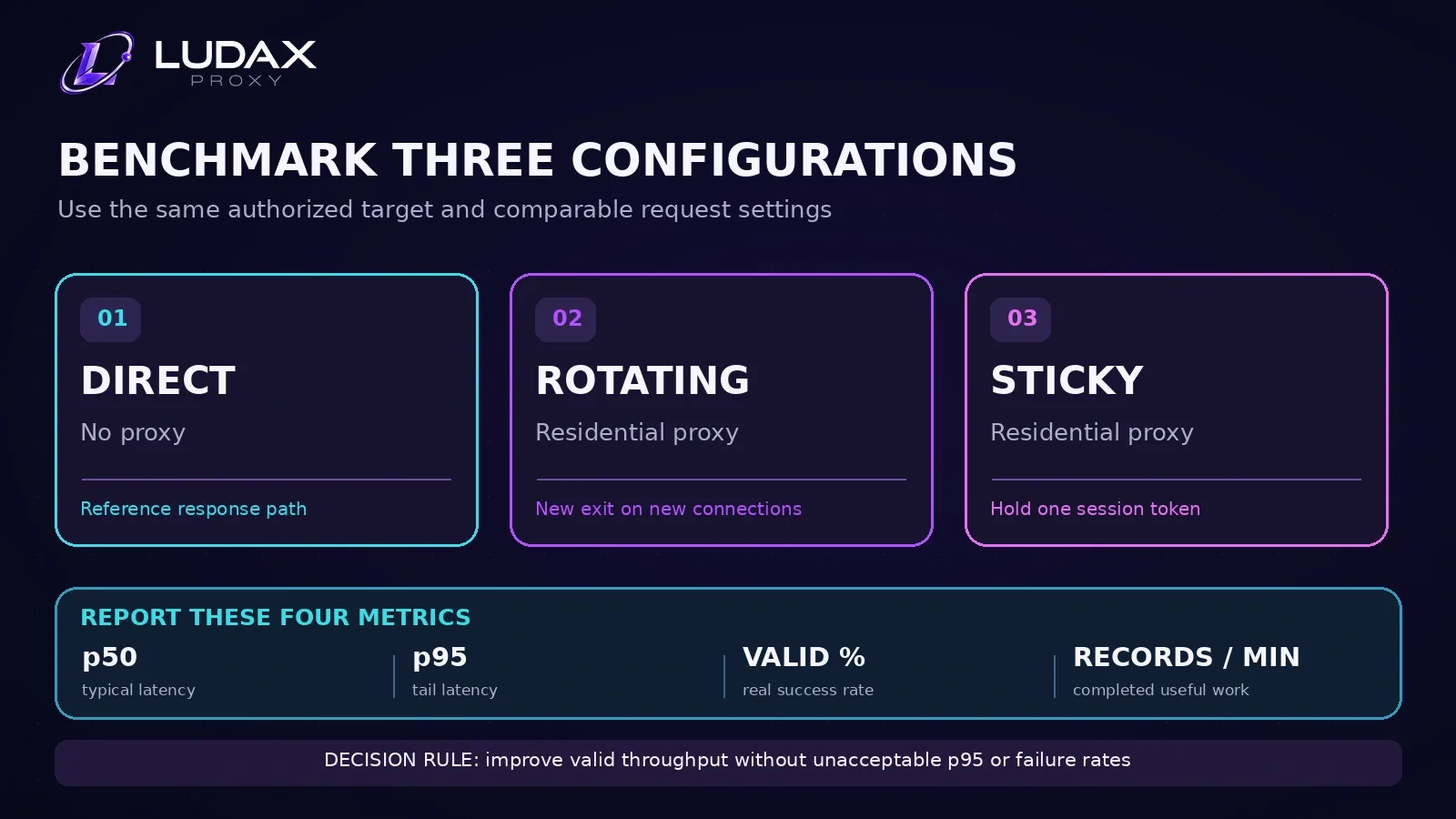
Control the experiment before changing proxy settings. A useful baseline keeps the following constant: target URL, response expectations, requester region, runtime, request headers, interval between requests and approximate test window.
Run at least three cases:
Direct: the same target without a proxy, if access is permitted. This is a reference—not proof that direct access is always a viable replacement.
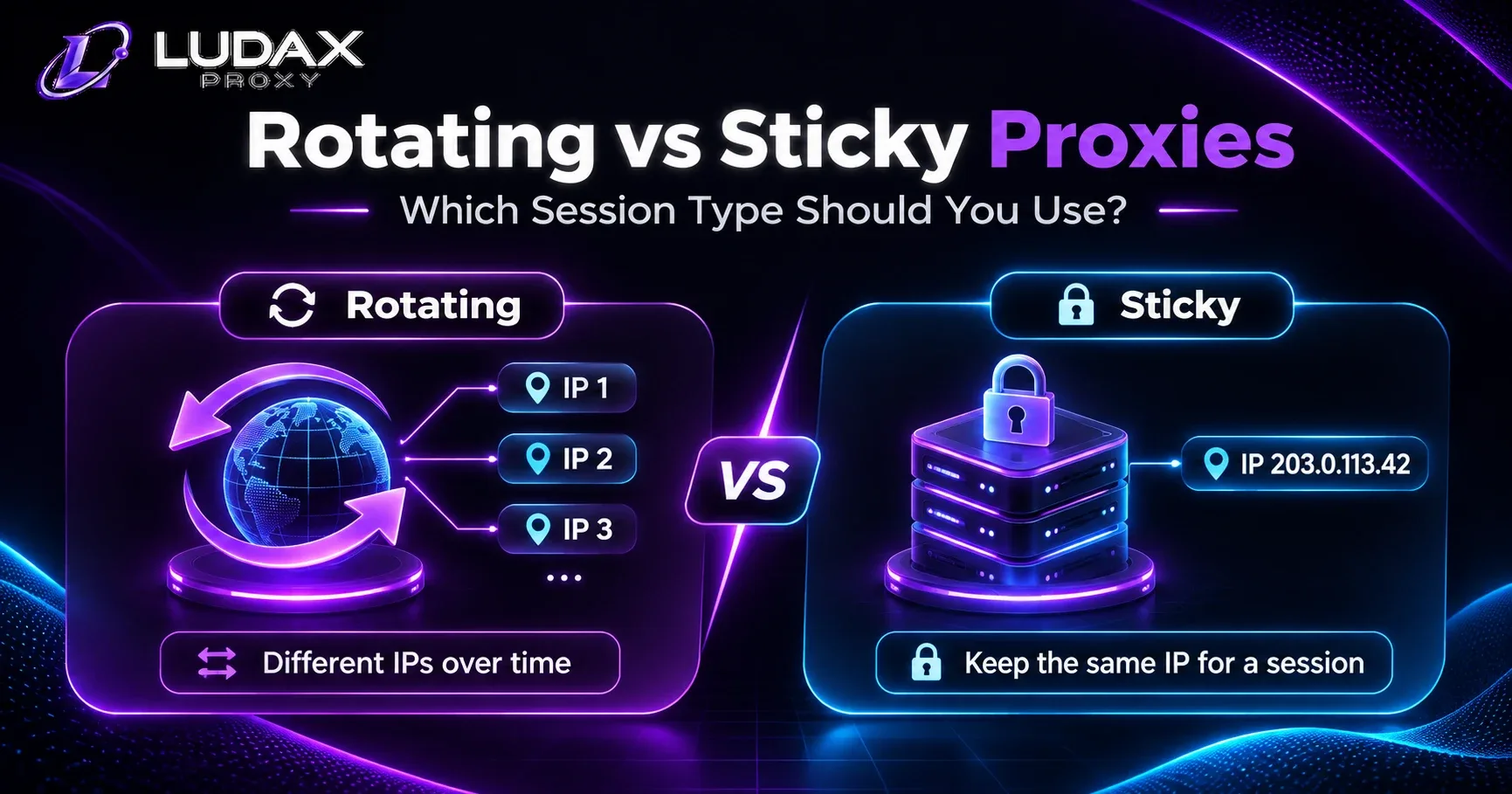
Residential rotating: an authenticated residential proxy with no sticky session token. New proxy connections can receive new exits.
Residential sticky: the same product, same country, and one session token maintained across the test. This reduces session-to-session routing changes, but does not guarantee faster results.
Use an HTTP client with connection pooling for each case. Opening an entirely new client for every URL mixes connection setup overhead into every measurement and can make a configuration look slower than a real production application.
For country testing, change only the country parameter. A city-level filter may reduce the eligible exit pool, and location availability may vary. Test the location the product is actually providing rather than assuming a requested city was assigned.
Confirm Ludax Proxy connection details first
For the standard Ludax Proxy Residential Proxies product, the documented HTTP/HTTPS gateway is gw.ludaxproxy.com:7777. The account's Residential username begins with resi-, and the plan password can carry country and session settings.
A rotating country-specific connection has the shape:
http://resi-YOUR_ACCOUNT:[email protected]:7777The equivalent sticky configuration includes a token and explicit lifetime:
http://resi-YOUR_ACCOUNT:YOUR_PLAN_PASSWORD-session-latencylab42-time-10-country-us@gw.ludaxproxy.com:7777These are templates, not valid credentials. Copy the actual values from the dashboard's Generate tool and refer to Ludax Proxy's authentication documentation for the current parameter syntax. Avoid printing real proxy URLs in benchmark logs, crash reports or Git commits.
Why an http:// proxy URL can carry an https:// target
An HTTP proxy can tunnel HTTPS requests with CONNECT. Therefore the proxy URL above starts with http:// even when the target begins with https://. Changing the proxy URL to https:// is not an automatic speed upgrade; it can cause connection or handshake failures in clients that do not expect an HTTPS proxy endpoint. HTTPX documents this distinction in its proxy guide.
Python benchmark: direct vs rotating vs sticky
The following script is intentionally small enough to modify. It uses the same target and HTTPX settings for all three paths, separates the first request from later requests, and rejects responses that do not match your expected content. It does not fabricate performance results.
For proxy URL setup and supported client examples, see the Ludax Proxy Python integration guide.
Install: python -m pip install httpx
Run: Save the script as ludax_residential_latency_benchmark.py, replace the four clearly marked settings, then run python ludax_residential_latency_benchmark.py.
Before running: Set TARGET_URL to a URL you have permission to test; change EXPECTED_MARKER to text that genuinely appears in a valid response. Replace USERNAME and PLAN_PASSWORD with the real Residential credentials. Set COUNTRY to the target market or "" if no geo-targeting is needed.
"""Compare direct, rotating, and sticky HTTP response times.

Run only against a URL you own or have permission to test.
Install: python -m pip install httpx
This is a small diagnostic sample, not a provider-wide speed benchmark.
"""

import math
import statistics
import time

import httpx

# Replace with a permitted HTTPS endpoint; keep the SAME URL in all three tests.
TARGET_URL = "https://example.com/"
EXPECTED_MARKER = "Example Domain"  # Change to text found in a valid response, or "".

# Copy the actual Residential username and plan password from Ludax Proxy > Generate.
USERNAME = "resi-lx_REPLACE_WITH_ACCOUNT"
PLAN_PASSWORD = "REPLACE_WITH_PLAN_PASSWORD"
COUNTRY = "us"  # Use the target's intended market; set to "" if geo is unnecessary.

ATTEMPTS_PER_CASE = 12  # A quick screening sample, not a statistically robust p95.
PAUSE_SECONDS = 0.5
GATEWAY = "gw.ludaxproxy.com:7777"


def proxy_url(mode: str) -> str | None:
    if mode == "direct":
        return None
    options = "-session-latencylab42-time-10" if mode == "sticky" else ""
    if COUNTRY:
        options += f"-country-{COUNTRY}"
    return f"http://{USERNAME}:{PLAN_PASSWORD}{options}@{GATEWAY}"


def percentile(samples: list[float], fraction: float) -> float | None:
    if not samples:
        return None
    ordered = sorted(samples)
    return ordered[max(0, math.ceil(fraction * len(ordered)) - 1)]


def display(value: float | None) -> str:
    return "n/a" if value is None else f"{value:.0f} ms"


def benchmark(mode: str) -> None:
    options = dict(
        timeout=httpx.Timeout(30.0, connect=10.0, read=20.0, write=10.0, pool=10.0),
        limits=httpx.Limits(max_connections=5, max_keepalive_connections=5),
        follow_redirects=False,
        trust_env=False,
    )
    proxy = proxy_url(mode)
    if proxy:
        options["proxy"] = proxy

    warm_success_ms: list[float] = []
    cold_ms = None
    failures: list[str] = []

    with httpx.Client(**options) as client:
        for index in range(ATTEMPTS_PER_CASE):
            started = time.perf_counter()
            try:
                response = client.get(TARGET_URL)
                elapsed_ms = (time.perf_counter() - started) * 1000
                is_valid = response.status_code == 200 and (
                    not EXPECTED_MARKER or EXPECTED_MARKER in response.text
                )
                if is_valid:
                    if index == 0:
                        cold_ms = elapsed_ms
                    else:
                        warm_success_ms.append(elapsed_ms)
                else:
                    failures.append(f"HTTP {response.status_code} / content mismatch")
            except httpx.HTTPError as exc:
                failures.append(type(exc).__name__)
            time.sleep(PAUSE_SECONDS)

    print(f"\n{mode.upper()}: {TARGET_URL}")
    print(f"  First request:  {display(cold_ms)}")
    print(f"  Later valid responses: {len(warm_success_ms)} / {ATTEMPTS_PER_CASE - 1}")
    print(f"  p50 (later):   {display(statistics.median(warm_success_ms) if warm_success_ms else None)}")
    print(f"  p95 (later):   {display(percentile(warm_success_ms, 0.95))}")
    print(f"  Failed/invalid: {len(failures)}; reasons: {dict((x, failures.count(x)) for x in set(failures))}")


if __name__ == "__main__":
    for case in ("direct", "rotating", "sticky"):
        benchmark(case)
The script prints each test's first-request duration, later-response p50 and p95, and counts of failures or invalid content. It does not expose your credentials in its output.
How to interpret it: If sticky sessions consistently reduce tail latency without hurting valid-response rate, reuse them for multi-request workflows. If rotating sessions perform just as well for independent URLs, you may not need stickiness. If direct access is equally slow, examine the target and your application before blaming the proxy.
Caution: This quick script is a controlled screening tool, not a geographically distributed proxy benchmark. It samples one target from one machine; run more samples at different times for a defensible conclusion. HTTPX's documented connect, read, write and pool timeouts give each failure type a different meaning.
Try the smallest test before scaling
A single well-instrumented workflow will teach you more than switching providers based on one speed-test screenshot. With Ludax Proxy Residential Proxies, start with a small prepaid allocation, run the direct/rotating/sticky comparison against your authorized endpoint, then inspect the results before changing concurrency or purchasing more bandwidth.
Start with an authenticated residential proxy, compare rotating and sticky routes, and measure valid responses in your own target market.
Six changes worth testing, in order
1. Find the relevant geography—not the nearest map pin
If you collect US-localized pages, start with a US exit; if you verify German search or prices, test a German exit. This is primarily about getting the correct localized content. Lower latency may follow, but does not automatically follow: traffic still passes through your worker, the gateway, the consumer ISP and the destination.
For non-localized endpoints, test the default route against a small number of appropriate countries. Keep the target, headers and test window constant. If you require city-level content, make sure location accuracy is verified, because removing the city filter just to gain speed may make your result unusable.
Use Ludax Proxy location targeting for available regions and validate the observed exit via the documented https://api.ludaxproxy.com/whoami endpoint. Do not benchmark that endpoint as a substitute for your actual target.
2. Reuse an HTTP client, then test sticky sessions separately
Two concepts often get conflated:
Connection reuse: an HTTP client may reuse sockets and reduce repeated TCP/TLS setup overhead.
Sticky residential session: a proxy-provider token requests continuity of the selected exit identity for a defined time.
An httpx.Client enables connection pooling. A Ludax Proxy -session- token controls the proxy session. Neither guarantees that the other will happen, and an open connection does not prove that each new connection will use the same exit.
Keep one client per comparable job and close it when the job is finished. For workflows with paging, logins or locale state, try a sticky proxy token of an appropriate lifetime. For unrelated one-shot requests, measure whether rotating offers enough valid throughput.
For a deeper explanation of sessions and browser context lifetimes, see the Ludax Proxy Playwright guide. HTTPX explains its client API and connection pooling.
3. Set timeouts by failure type instead of one huge number
A 30-second blanket timeout does not explain why a request stalled. HTTPX has separate timeout categories: connect, read, write and pool. Connect covers establishing a connection; read covers waiting for response data; pool covers waiting for an available connection slot.
A starting point for a measured workload might be:
import httpx

limits = httpx.Limits(max_connections=5, max_keepalive_connections=5)
timeouts = httpx.Timeout(30.0, connect=10.0, read=20.0, write=10.0, pool=10.0)

with httpx.Client(
    proxy="http://resi-YOUR_ACCOUNT:[email protected]:7777",
    timeout=timeouts,
    limits=limits,
) as client:
    response = client.get("https://example.com/")  # Replace with an authorized target.
    print(response.status_code)
These values are illustrative starting points, not universal recommended limits. Short timeouts can make a system appear faster simply by failing more often; long timeouts can leave workers blocked for too long. Change them only after measuring actual tail latency and acceptable task deadlines.
4. Tune concurrency for validated throughput
More parallel connections do not necessarily create faster results. Raising concurrency can increase contention, queue waits, server pressure and retry storms. The right concurrency level depends on your client machine, permitted target load, plan characteristics and geographic exit capacity. Ludax Proxy does not publish a universal residential-concurrency guarantee.
Start at a conservative concurrency of one on an authorized endpoint. Compare two, then four, stopping when valid-response rate falls, p95 climbs sharply, or the destination asks you to slow down. These are experimental steps—not an invitation to ignore rate limits.
Track:
valid records per minute = validated successful records ÷ elapsed wall-clock minutes
And, for spending decisions:
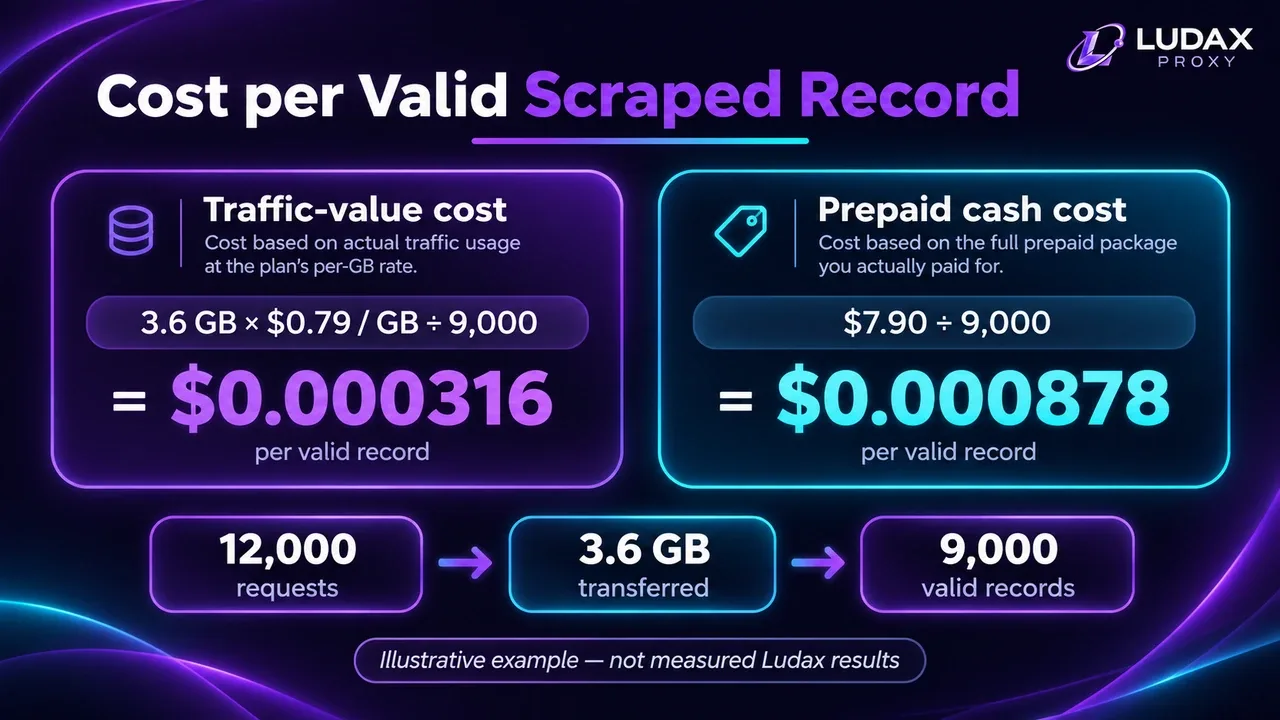
cost per valid record = billed proxy spend ÷ validated successful records
A configuration that returns more HTTP 200s but fewer actual target records has worse throughput. For deeper cost analysis, use the Ludax Proxy scraping use-case guide alongside your plan's actual billed usage.
5. Make retries selective and respect the target
Retries improve completion only when they address a temporary failure. A 407 authentication failure needs a credential or plan fix; repeating it wastes time. A 502 or a connection timeout may be transient. An HTTP 429 is a signal to reduce request pressure and respect Retry-After where supplied.
A reasonable policy is to cap attempts, use exponential backoff with jitter, retry only safe or idempotent requests and log each reason. Do not blindly replay purchase, login or other side-effecting POST requests. Retrying a slow path three times may multiply bandwidth consumption and destroy throughput even when one eventual response succeeds.
For HTTPX specifically, its basic transport retries option handles connection errors and connection timeouts, not every HTTP response code. Do not assume it automatically retries 429, 502 or 503 responses. See HTTPX transport documentation.
6. Reduce response work before replacing the proxy
If a page contains a large amount of unnecessary markup, scripts, images or embedded data, total completion time can be dominated by transfer and processing rather than gateway latency. For browser jobs on your own or authorized sites, block unnecessary third-party assets only when they are not required for correctness. For APIs, request smaller result windows, use pagination and honor conditional responses or caching rules.
Always validate the final data. A slimmed-down page that omits the price you need is not a faster success. More importantly, don't re-fetch a valid unchanged result because your application discarded its cache or lost its checkpoint.
Compression and HTTP/2 support can help some workloads, but their benefit depends on the destination, client and proxy transport. Test rather than assuming a protocol switch will save time.
Diagnose slow requests by symptom
What you observe | Likely place to investigate | What to do next |
|---|---|---|
First request is slow, later requests stabilize | Connection setup, TLS handshake, DNS or cold caches | Compare the first request separately and keep a client open |
p50 is good but p95 is high | Exit variability, pool queueing or slow targets | Lower concurrency; compare sessions and time windows |
HTTP 200 arrives quickly but required fields are missing | Target returned a challenge, error shell or unexpected locale | Validate body content and destination before accepting success |
HTTP 407 | Proxy credentials or plan status | Verify account prefix, port, password and plan; do not retry blindly |
HTTP 429 | Destination is rate-limiting requests | Reduce pressure and honor permitted retry instructions |
HTTP 502 or intermittent connection failures | Route, exit or destination availability | Try limited backoff, then change session only when appropriate |
Read timeout while transferring heavy pages | Slow target or response transfer | Test a smaller authorized endpoint; inspect payload |
Pool timeout at higher concurrency | Local client is waiting for a connection | Balance |
Wrong country or city | Location request, exit assignment or capacity | Verify observed exit and ensure content is locally correct |
Diagnostic rule: Separate a network failure, an HTTP error, a valid HTTP response with invalid content, and a valid data record in your logs. They are different outcomes and should never share a single success counter.
A one-hour optimization workflow
This process is intentionally narrow: it finds a good configuration for your target, not a universal residential proxy ranking.
Define success. Identify one authorized URL and the exact content marker or structured field that proves a valid result.
Baseline. Run the Python benchmark from your normal worker. Record direct, rotating and sticky results; keep first-request data separate.
Change one thing. Compare two appropriate geographies or sticky versus rotating behavior—never both simultaneously.
Inspect tails. Check failures, p50 and p95, and repeat the winning condition at a different time of day.
Tune load. Try low concurrency levels while respecting the destination and watching valid records per minute.
Choose by business outcome. Use the configuration that gives the most correct, timely records for acceptable metered bandwidth, not just the lowest single response time.
Save the configuration alongside its test conditions: date, worker region, target URL, proxy product, country, session mode, concurrency, sample count and response validator. Otherwise a later comparison can look like an improvement when the underlying workload actually changed.
A worked decision example (illustrative, not a Ludax Proxy benchmark)
Suppose two tests yield these hypothetical patterns:
Configuration | Typical response | Tail behavior | Valid data | Decision |
|---|---|---|---|---|
A: more workers and rotating connections | Lower p50 | More timeouts and long p95 | Less consistent | Investigate rate and exit variance |
B: fewer workers and a sticky session | Slightly higher p50 | More predictable p95 | More correct records | Prefer if completed workflows are the goal |
The lesson is not “sticky always wins.” The lesson is that a small improvement in headline latency is not worth sacrificing the completion rate that your pipeline depends on.
When lower latency is the wrong optimization goal
If your first request is consistently blocked, shaving a few hundred milliseconds off network time does not solve the real problem. Investigate whether the target permits the access, whether the response is the correct localized content, and whether the client is configured correctly. A proxy cannot guarantee target acceptance.
Similarly, moving from city-level targeting to a large default country pool may improve availability but break geo-sensitive QA. Keep correctness requirements explicit. For comparing location-specific website behavior, the Ludax Proxy SEO monitoring use case explains why the observed market matters.
Use Ludax Proxy's public documentation and network status page when troubleshooting a possible gateway-side incident. A provider status page and your own end-to-end metrics answer different questions; you need both.
Residential proxy latency FAQ
What is a good residential proxy latency?
There is no single trustworthy number for every residential proxy. An acceptable value depends on target distance, page size, destination processing, client location and job deadline. Measure p50, p95 and valid-response rate on your own workload; compare equivalent runs rather than marketing averages.
Are residential proxies slower than datacenter proxies?
They can be, because residential routes use consumer access networks and may vary more. But a direct speed comparison is meaningful only with the same target, region, time window and validation rules. A lower network latency is not useful if the response is blocked or incorrect.
Does a sticky residential proxy reduce latency?
Sometimes, but not inherently. Sticky sessions can reduce exit changes and make multi-step workflows more consistent. Actual time improvements depend on the route and application. HTTP connection reuse and sticky exit identity are separate mechanisms; benchmark both.
Should I choose the proxy country closest to my scraper?
Not automatically. If your task needs location-specific content, prioritize the correct target market. If it does not, compare a few eligible routes; physical proximity alone does not reveal ISP peering, the proxy's route or destination processing time.
Does HTTP keep-alive guarantee the same residential IP?
No. Keep-alive reuses an HTTP connection when possible. Sticky session configuration controls intended exit continuity across connections. Use a stable token when you need a consistent exit and verify the observed IP instead of assuming it.
Can increasing concurrency make residential proxies faster?
It can improve completed tasks per minute up to a point, but it does not make each network hop faster. Excess concurrency may increase pool waits, tail latency, target throttling and failed jobs. Measure validated throughput rather than raw request count.
Should I set a very short timeout to improve proxy speed?
No. A shorter timeout only gives up earlier; it does not speed up a successful request. Choose timeouts that fit your deadline, distinguish connection from read and pool delays, and count timeout failures in the same comparison.
How can I test Ludax Proxy latency before scaling a scraper?
Start with the smallest suitable Residential Proxies plan, use the documented gateway gw.ludaxproxy.com:7777, run the Python benchmark against an authorized target, and compare valid-response rate, p50, p95 and bandwidth use. Then make one routing or concurrency change and measure again.
Takeaway: optimize completed work, not a screenshot
Residential proxy latency optimization is a measurement problem before it is a product-selection problem. Start with a reproducible benchmark, identify which part of the request path is slow, and tune network geography, connection reuse, session continuity, concurrency and retries independently. Judge the result by correct records completed in time and the bandwidth actually consumed.
Ready to test with a real residential exit? Ludax Proxy Residential Proxies let you compare rotating and sticky sessions, select an appropriate market and inspect the resulting workflow without committing to a subscription. Begin with one small test, record your results and scale only after the pipeline is predictable.
Measure real requests, tune sticky or rotating behavior, and improve valid results per minute with Ludax Proxy Residential Proxies.
Frequently asked questions
1. What is a good latency for residential proxies?
There is no universal latency target. It depends on your destination, proxy location, network conditions, and application. Measure p50 and p95 response times alongside successful requests to determine whether a proxy meets your requirements.
2. How can I reduce residential proxy latency?
Start by measuring end-to-end request time. Then test a closer exit location, reuse HTTP connections, compare sticky and rotating sessions, control concurrency, and adjust timeouts. Change one variable at a time to identify what actually improves performance.
3. Are sticky residential proxies faster than rotating proxies?
Not necessarily. Sticky sessions can reduce repeated setup overhead when connections are reused, but they do not guarantee faster network routes. Benchmark both session types against the same target and compare latency and valid-response rates.
4. Why is my residential proxy slow even with a fast gateway?
Gateway response time measures only part of the request path. The residential exit connection, target server, TLS setup, response size, and client configuration can all increase end-to-end latency.
Technical references and further reading
The recommendations above are based on reproducible network measurements and official product/client documentation, not on a proprietary speed ranking:

Comments 0
No comments yet. Ask a question or share what worked for you.